|
Use Jaguar
software for playing back SDRPlay files
The Jaguar software is extremely, totally, dependant on the Perseus
receiver.
If you have one, great, go ahead.
If you don't have one, forget about it.
That was how it all used to be, way back when the first Perseus SDR
reigned the world, and some Finnish DXer wanted to catch the most NA
signals possible, thus Jaguar was born,
These days we have a lot of SDR's and a lot of applications to run those
SDR's.
And yet, many hard ore MW DXers still use Jaguar with their older Perseus
because it has a fenomenal way of showing fast and in detail where some
interesting signals might be heard. No other software come close.
 But,
alas, you must have a Perseus. But,
alas, you must have a Perseus.
However, that is no longer so.
Ashraf Chaabane, a Tunisian radio amateur and MW DXer, has developed
a workaround, so now you can use the Jaguar software to replay recordings
from some SDR receivers. You will have to do some computer wizzarry,
but nothing difficult if you know how to managed Window files.
Step by step, all you need to do is this:
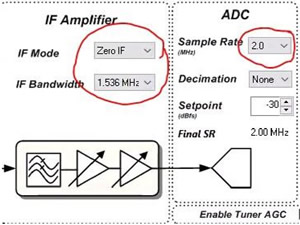
1. You must use an SDR capable of
recording 2 MHz sampling files. So the SDR's from SDRplay will do fine,
while the much better SDR's from Airspy is out as they only do 768 kHz
files. (The reasons for all of this is another story not covered here.)
2. You must also record your files
in Perseus format. So you will have to use HDSDR, the most versatile
SDR software around. You just have to make sure that you change recordings
from its standard Winrad format to Perseus format.
3. Now, with some recordings, it's
time for some Window file magics, meaning changing the file names. All
of them. This is done easily with Ashraf's File
Rename app.
4. Start the rename app, enter the
folder you want to convert, click on “Rename Files”. Done, all files
should be ready for some Jaguar magic.
You probably want to do some more, such as create a YAS.LOG, or even
some powerful FILESCANs, and put all files in Jaguar dependant folders.
That's all up to you and if you've read all of this you will know how
to do that.
Credit also to Bjarne Melde, who has made a detailed
guide on how to do all of this.
|

|
 Skånska
landskap
Skånska
landskap 
 SDR
Console
SDR
Console